Step 4: Download Certificado
Download Certificado (Descargar Certificado)
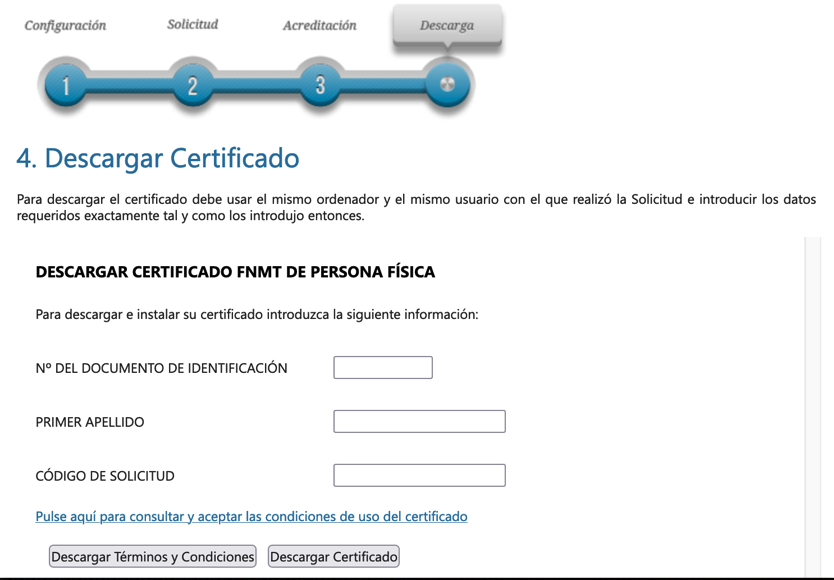
- After you have been authorized in the office to prove your identity, you will receive an email with a code through which you can download and install your certificate
- Fill your information, choose “Descargar Certificado” to download and install it
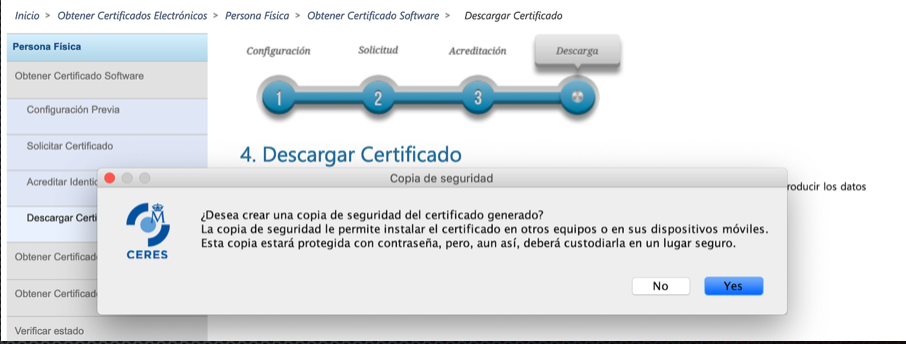
- If everything goes well, after accepting the conditions, a window will appear in which the installation will proceed. Choose Yes to get a backup file
- If your choose No, no problem, we can get it late
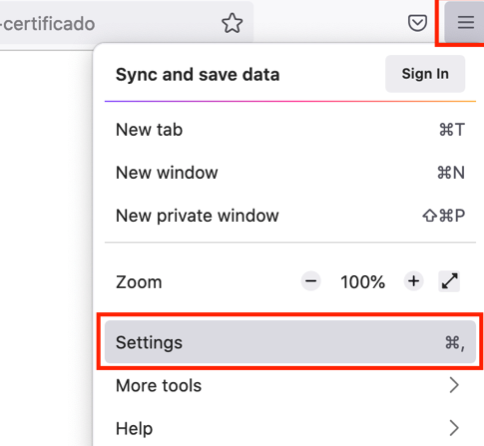
- On the right of the browser, choose the icon Menu/Settings
- In Settings, choose tab Privacy & Security
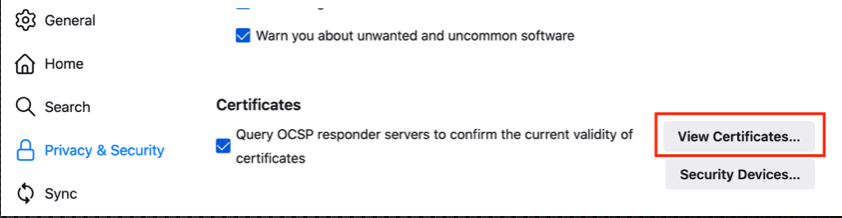
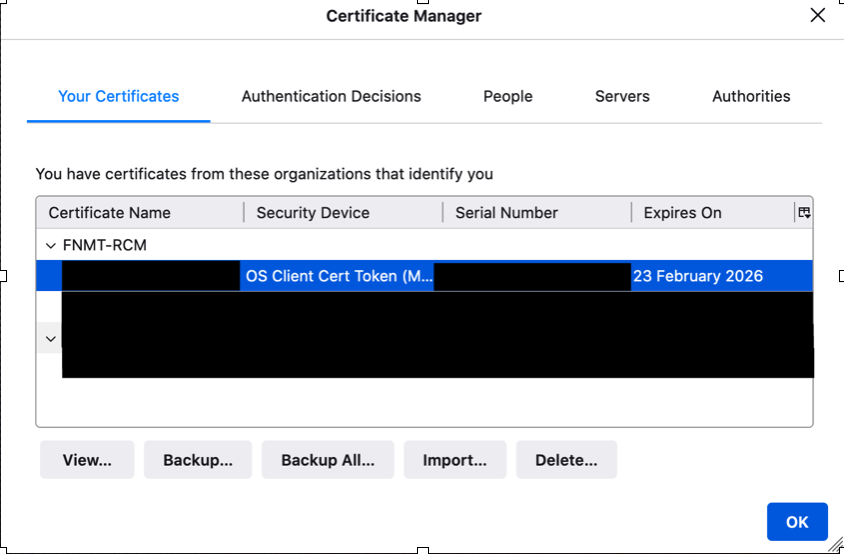
- Scroll down, click on “View Certificates” on Certificates
- "View” to see your Certificado in details
- “Backup” to get another copy of your Certificado
- Very important: Do not make any changes to the operating system or browser from which you made the request, since this metadata will be used to verify that you really are the same person and to be able to install the certificate
- Therefore, do not make updates in that period, and the certificate must be downloaded and installed from the same browser from which you made the request